
How to Fix Failed Content Generations
In this article
- Review failed products during bulk generation
- Fix missing or incomplete fields
- Use saved filters to address failures faster
- Avoid common pitfalls before publishing
Review Failed Products During Bulk Generation
When you run a bulk generation job, some products may appear in a Failed state. This simply means one or more requested fields did not generate successfully.
During the review step, pause and look closely at any products marked as Failed. These flags are your shortcut to identifying where action is needed.
Good to know: A failed status does not mean the entire product is unusable. Often, only one field needs attention.
Fix Missing or Incomplete Fields
When reviewing a failed product, open the product page and confirm that all requested content fields were created.
If something is missing:
- Regenerate only the fields you need directly from the product page.
- Save your changes once the regenerated copy looks good.
Keep an eye out for any notifications related to restricted keyword usage or other generation issues. These alerts usually explain exactly what blocked the content from generating.
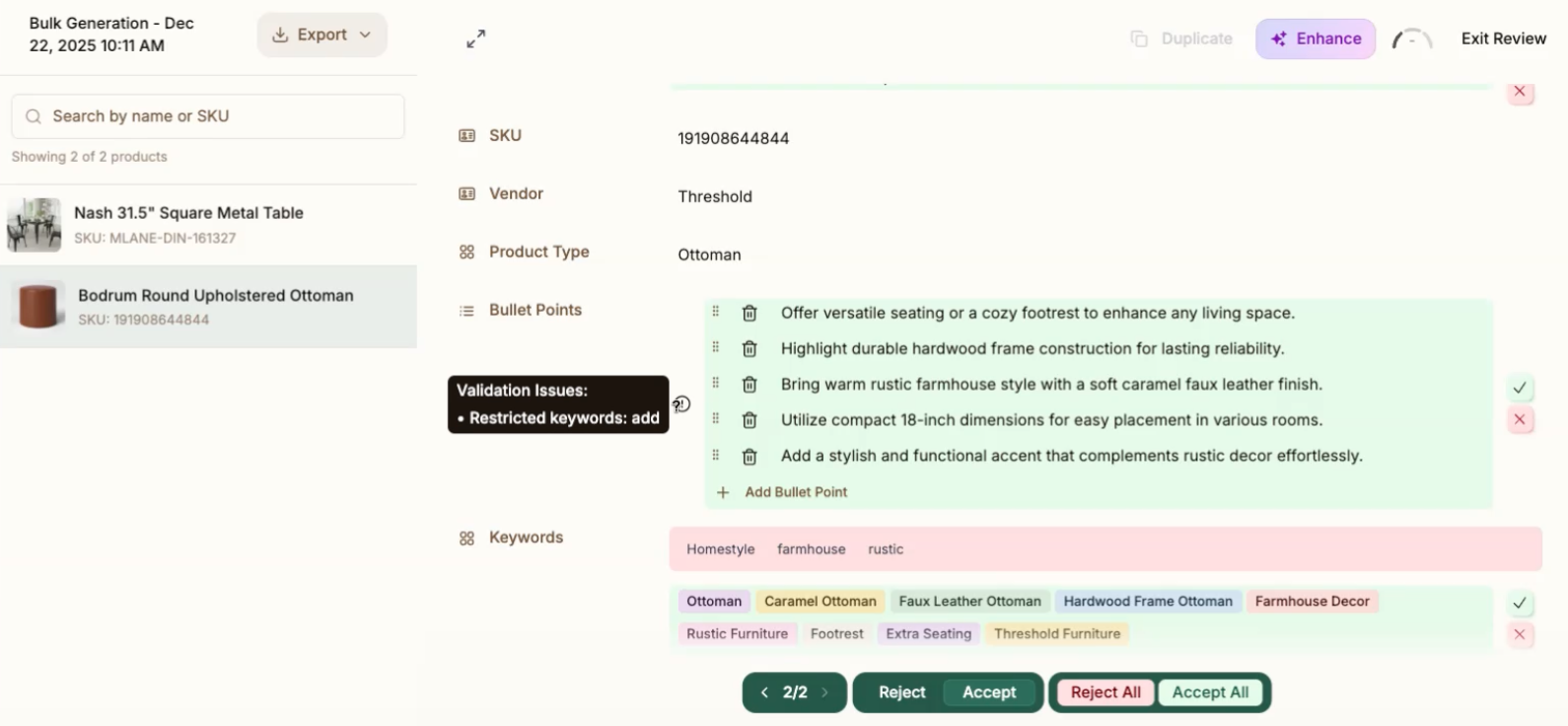
Describely is built to make these fixes fast, so you can keep moving without restarting the entire job.
Use Saved Filters to Address Failures Faster
If you prefer to handle issues upfront, you can review all failed products before returning to your bulk job.
To do this:
- In your catalog, apply a Saved Filter filtered by status Failed.
- Review and resolve each failed product.
- Once complete, return to the bulk job and continue your review.
This approach works well for large catalogs where you want a clean pass before approving content in bulk.
Avoid Common Pitfalls Before Publishing
We always recommend reviewing all AI-generated copy before publishing.
If you choose to Accept All to force-approve content from a bulk job:
- Make sure generation failures are resolved first, or
- Plan to audit the copy through another review process before going live.
Bulk approval can save time, but it works best when paired with a quick quality check.
Need help? If you have questions or feedback, reach out to us anytime at support@describely.ai. We’re happy to help.