
Channels: Tailor Your Product Content for Every Marketplace
In this article
Overview
Most brands sell the same product in more than one place, and every sales channel has its own rules.
- Amazon rewards keyword-dense titles and bullet points.
- Google Shopping cares about a tight meta title and description.
- Your own Shopify storefront wants brand voice. Describely's
Describely's Channels lets you meet all of those expectations from a single source of truth. You have one master version of every product, while authoring channel-specific copy for each marketplace you sell on — so your Amazon listing, your Shopify page, and your Google Shopping feed can each read exactly the way that channel rewards, without maintaining separate catalogs.
Important: A channel listing overrides only the content that needs to differ for that channel and inherits everything else from the master automatically.
The channels available today are Amazon, Walmart, eBay, Etsy, Google Shopping, Facebook Catalog, Shopify, WooCommerce, Wix, Squarespace, Akeneo, Salsify, Print Catalog, and growing.
How Channels work
The master product is the single source of truth. A channel listing sits on top of it and sparsely overrides six content fields:
- Name / Title
- Description
- Bullet points
- Tags
- Meta title
- Meta description
You can also override additional fields per channel. Anything you leave blank on a channel listing simply inherits from the master. You only fill in what's different, and the rest flows down from the master automatically.
You're never rebuilding a whole product for a new channel. You start from the master, change the handful of fields that channel needs, and leave the rest alone.
Tip: Because empty fields inherit from the master, the fastest way to launch a new channel is to override just the one or two fields that channel is strict about — a keyword-rich title for Amazon, a shorter meta title for Google Shopping — and let everything else carry over.
- Each channel has its own lifecycle. Every channel listing carries its own status, bulk jobs, publish date, and other data, all independent of the master and any other channel.
How to use Channels
Channels are activated per business in Settings > Business Settings > Channels.
When you activate a channel you can optionally give it a sub-key — useful when you run more than one variant of the same channel, such as multiple Amazon regions — along with a display name so it's easy to recognize.
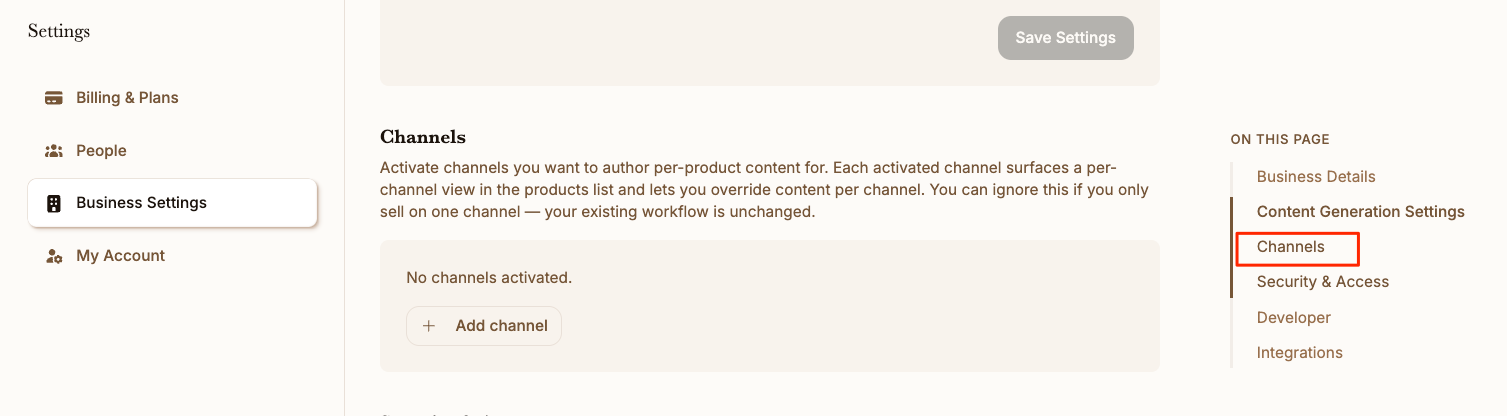
Only Admins can activate, deactivate, or configure channels. If you don't see channel controls in Business Settings, check your role with an account admin.
- On the products page you'll find a Channel Switcher dropdown. Use it to move between Master and any active channel.
- You can run bulk content generation for a specific channel. The accept, reject, and override actions in the review flow write to that channel's listing and leave the master untouched.
- If you ever want to start over on a channel, you can reset a channel's fields back to the master values.